
Home › Seedream-4 Replicate Guide
This is a practical workflow to create brand-quality product photos using Seedream-4 on Replicate — perfect for creators, marketers, and startups seeking studio-grade visuals at low cost.
1. Introduction to Seedream-4
ByteDance Seedream-4 unifies text-to-image generation and precise, natural-language editing. It supports up to 4K resolution and costs only $0.03 per image — ideal for professional-quality yet budget-friendly photo shoots.
- Unified generation + editing
- Up to 4K output
- Multi-reference (1–10 images)
- Predictable pricing
2. Log In to Replicate
- Visit replicate.com and click Get Started.
- Sign in using Google or GitHub.
- Use Search or Explore to locate models.
3. Add Funds
- Open Avatar → Account Settings → Billing.
- Click Add Credit or enable pay-as-you-go.
- Monitor usage and invoices under Billing.
4. Find the Model & Understand Inputs
Search for bytedance/seedream-4 and open its model page, then click Run / Playground. The input panel includes:
- prompt — the text description of what you want to generate
- image_input — optional; upload 1–10 reference images
- size — 1K, 2K, 4K, or custom
- aspect_ratio — used when size is not custom, or set to match_input_image
- width / height — only when size = custom
- sequential_image_generation — disabled / auto
- max_images — 1–15 (if sequential = auto)
5. Example Interface — Replicate Input Page
The following screenshots show how the Seedream-4 input section appears on Replicate. You can identify key fields such as prompt, image_input, size and aspect_ratio in the model playground.
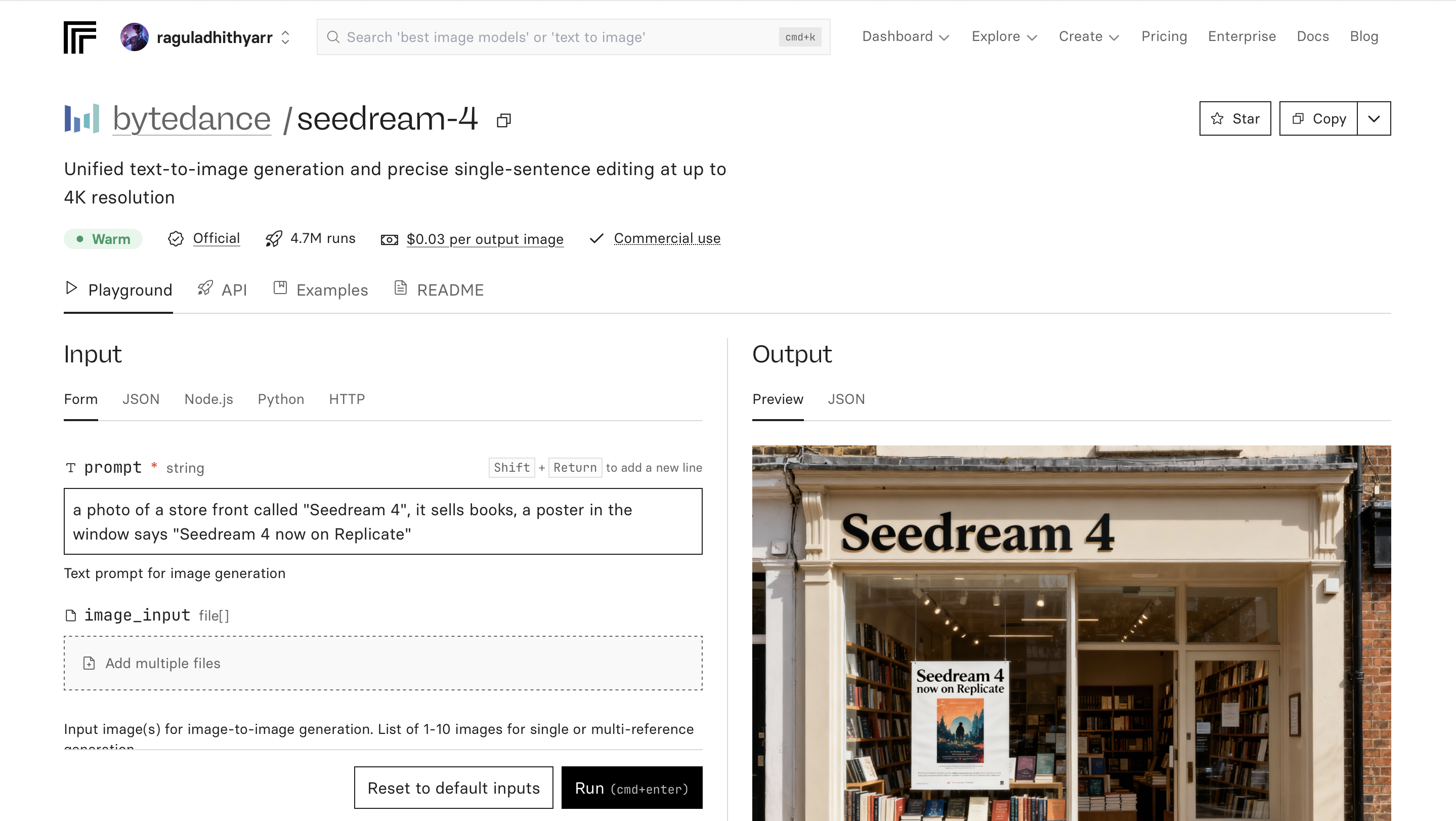
Screenshot 1 — Replicate Seedream-4 input panel showing prompt and image upload options.
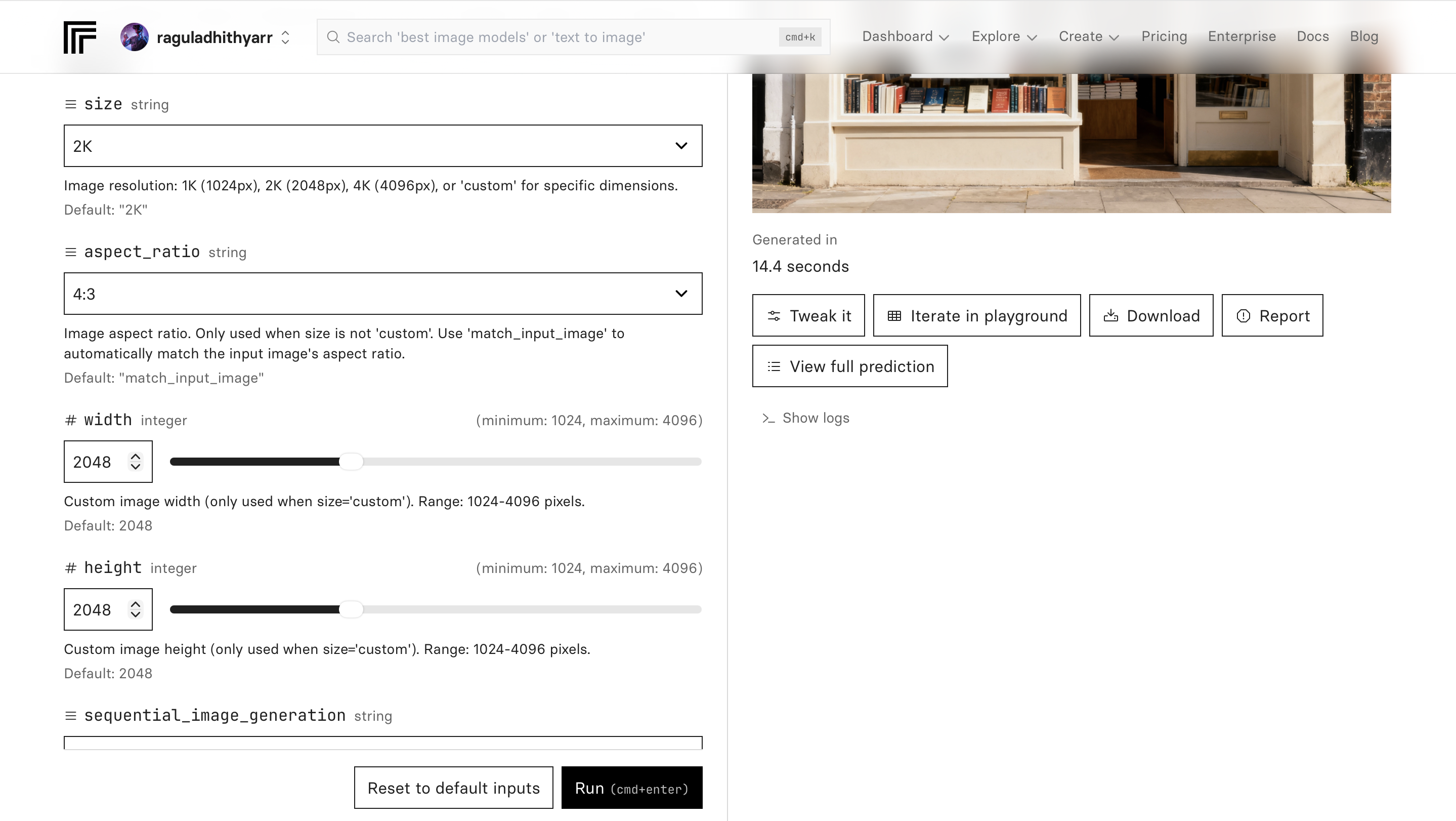
Screenshot 2 — Advanced settings such as output size, aspect ratio and sequential generation options.
6. Co-Design Prompts with ChatGPT
ChatGPT can help you craft and refine Seedream-4 prompts directly from your images.
Prompt creation methods:
- Upload your input image → “Here’s my product photo. Help me write a Seedream-4 prompt to preserve the product’s lighting and scale while improving the background.”
- Show a target output → “I want an image like this one. Generate a prompt that matches the composition, lighting and tone.”
Tip: Stay in the same ChatGPT thread — paste your Replicate results back each time to refine prompts iteratively.
7. Insert Prompt & Run
Text-to-Image Example (New Product Shot)
product photo shoot, premium tabletop scene; South-Indian brand aesthetic; product centered with true scale; soft studio lighting; controlled highlights; clean neutral background; gentle shadow; photorealistic; 1080×1350.
Avoid: plastic look, harsh glare, extreme reflections, busy background, text/watermark.
Reference-Image Edit Example
Keep product scale and arrangement; enhance background cleanliness; improve lighting to soft studio with controlled highlights; subtle reflective shine; maintain brand color palette; 1080×1350.
Output settings:
- size: use 2K for most product work — the best balance of cost and detail.
- aspect_ratio: 4:5 for portrait feed, 1:1 for square, or match_input_image for edits.
- sequential_image_generation: keep disabled unless you are generating variations.
| Field | Example Value |
|---|---|
| Prompt | product photo shoot, premium tabletop scene; South-Indian brand aesthetic… |
| Size | 2K |
| Aspect Ratio | 4:5 |
| Avoid | plastic look, glare, busy background |
8. Demo — Inputs, Outputs & Prompts
Input 1 (Reference)
Output 1
Prompt used
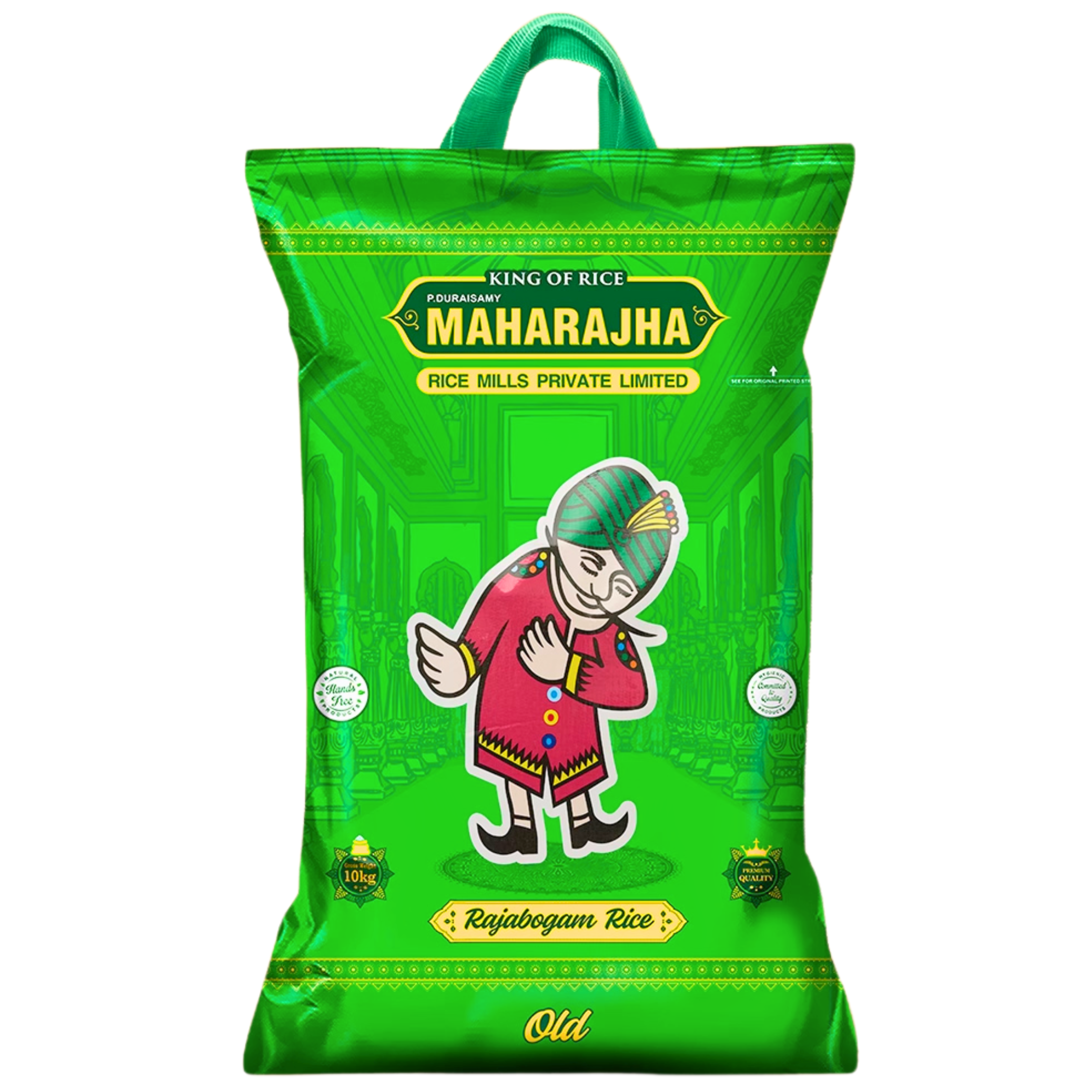
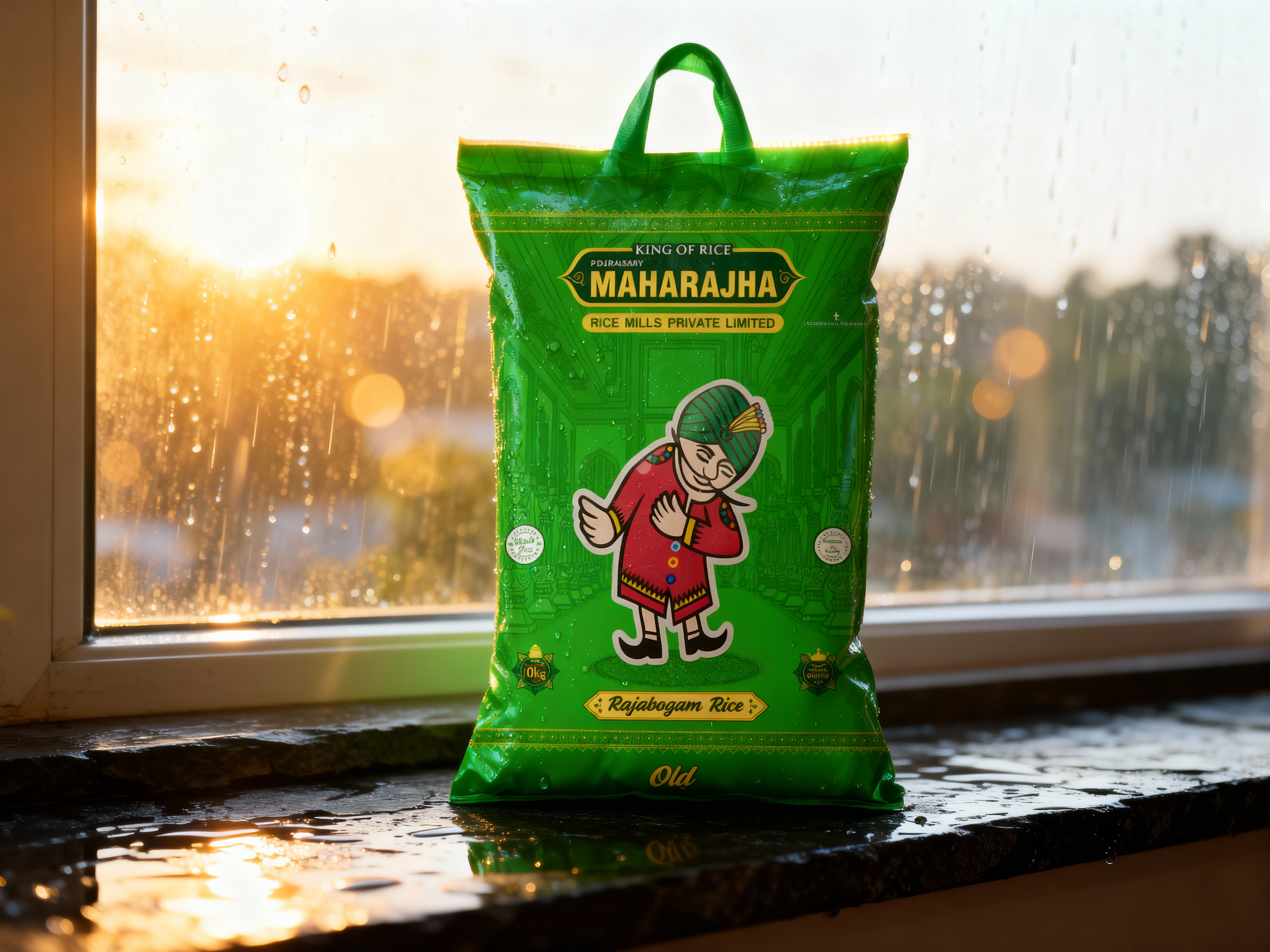
Use the uploaded image of a 3D stand-up bag with dimension and length and breath maintained same.
Preserve every logo, color, and typography perfectly — no redesign or warping.
The bag must appear solid, opaque, and polished, with no visible rice inside.
Place the bag on a wet dark-slate ledge by a rain-kissed window.
Background: post-rain golden sky turning bright white near the sun, sunlight streaming through drops on glass, creating soft glowing bokeh and a clean, premium atmosphere.
The sunlight should halo around the bag edges, giving a radiant contour but keeping all printed details crisp and readable.
Lighting setup:
Primary key: bright warm-white sunlight from the back-left (6500 K–7000 K mix of white and gold tones).
Secondary fill: subtle cool bounce from indoors for contrast.
Add a gentle rim glow on the top and handle.
Ground reflections 5–8 %, realistic wet sheen, no heavy gloss.
Camera: 50 mm, close-focus framing (bag fills 70 % of frame), f/3.2 for shallow background blur but full label sharpness.
ISO 100, shutter 1/125.
Ensure edges and typography tack-sharp, no chromatic aberration or overexposure on text.
Material: matte-satin plastic laminate with fine water beads catching light; subtle sparkle, zero transparency.
Composition: hero bag centered, surrounded by diffused bright air; background 2 stops over key for an ethereal glow.

Input 2 (Reference)
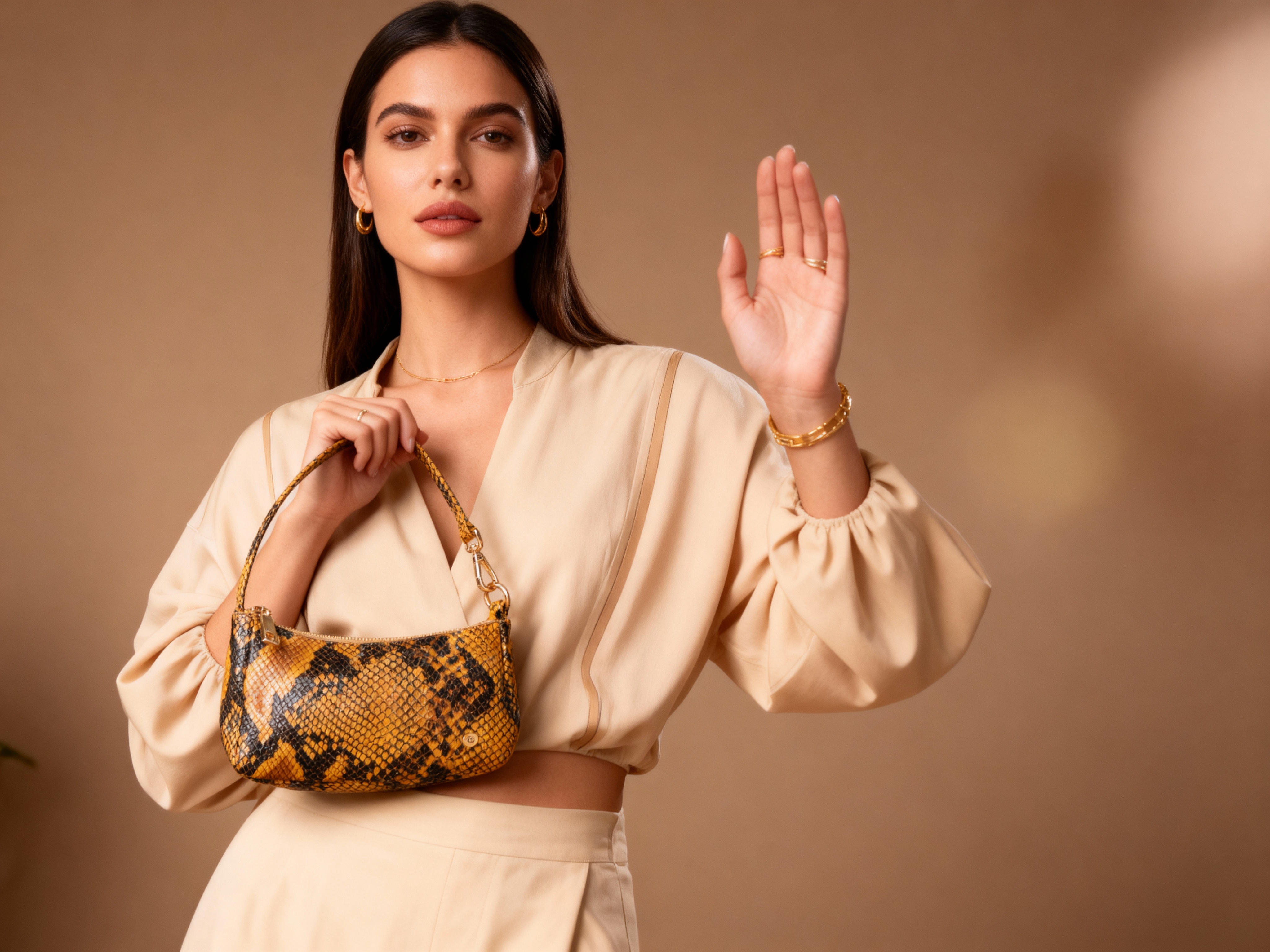
Output 2
Prompt used
Create a high-resolution photorealistic image of a stylish woman showcasing a luxury yellow and black snakeskin handbag with gold hardware. The woman should look natural and realistic — no anime or CGI appearance. She stands against a warm beige studio background, wearing an elegant beige outfit with subtle gold accessories. Lighting is soft, diffused, and warm, highlighting the texture of the snakeskin bag and the gold metal details.
The bag is identical to the reference: small crescent-shaped shoulder bag, golden-yellow base with black snakeskin pattern, glossy finish. The woman holds it confidently with one hand raised, showing the design clearly to the camera.
Camera: mid-shot (waist-up), 50mm lens look, shallow depth of field (f/2.8) for background blur.
Style: professional fashion product shoot, editorial realism, cinematic tones, natural human skin texture, high detail, 8K render, true-to-life materials.
Input 3 (Reference)
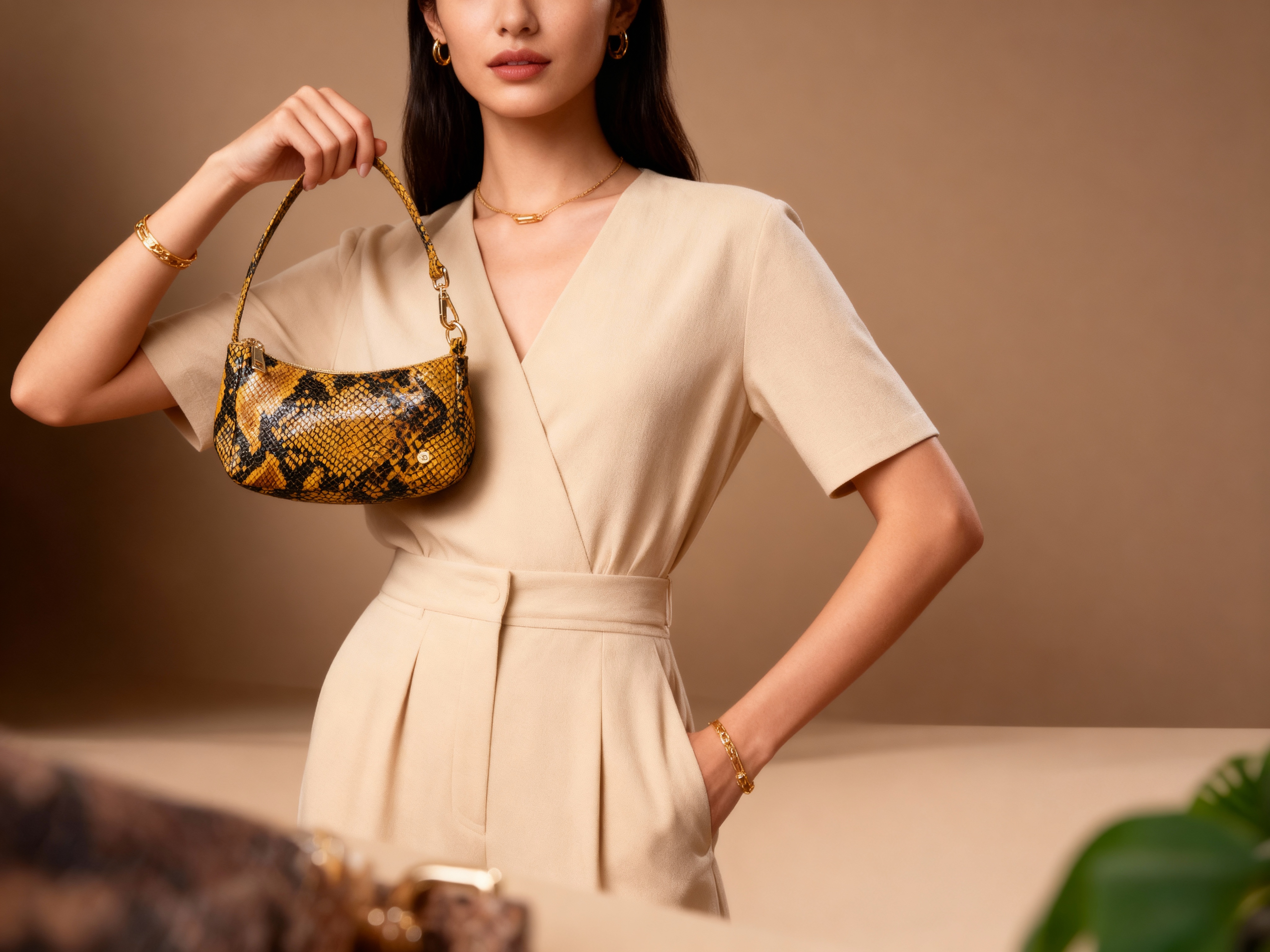
Output 3
Prompt used
Create a high-resolution photorealistic image of a stylish woman showcasing a luxury yellow and black snakeskin handbag with gold hardware. The woman should look natural and realistic with full face — no anime or CGI appearance. She stands against a warm beige studio background, wearing an elegant beige outfit with subtle gold accessories. Lighting is soft, diffused, and warm, highlighting the texture of the snakeskin bag and the gold metal details.
The bag is identical to the reference: small crescent-shaped shoulder bag, golden-yellow base with black snakeskin pattern, glossy finish. The woman holds it confidently with one hand raised, showing the design clearly to the camera.
Camera: mid-shot (waist-up), 50mm lens look, shallow depth of field (f/2.8) for background blur.
Style: professional fashion product shoot, editorial realism, cinematic tones, natural human skin texture, high detail, 8K render, true-to-life materials.
9. Best Practices for Product AI Shoots
- Photograph your real product in soft light; use it as reference.
- Keep aspect ratio and lighting consistent for brand harmony.
- Include soft shadows for realism.
- Use “Avoid” lines for unwanted effects.
10. Optional Tools — Background Removal & Upscaling
- Background Remover: Upload → Run → Download PNG for catalog use.
- Upscaler: Generate a crisp 2× version for zooms or print.
11. Export Sizes for Social
- Portrait feed: 1080×1350 (4:5)
- Square: 1080×1080
- Stories / Reels cover: 1080×1920
12. Troubleshooting
- Product looks oversized: add “true scale” wording such as “make product appear smaller.”
- Plastic or waxy texture: add “soft studio lighting; controlled highlights; subtle micro-texture.”
- Harsh glare: reduce light intensity and specify “no blown speculars.”
- Messy background: request a “clean, neutral background,” or run a background remover after generation.
References & Useful Links
- Seedream-4 on Replicate — official model page
- Official models & predictable pricing overview
- Billing and usage documentation
More free tools on this site
Once your product shots are generated, PDF Studio — the free PDF editor on this site — will turn them into a single PDF lookbook, compress an oversized catalogue before you email it, add a watermark or page numbers across every page, or pull the text back out of a scanned spec sheet. It runs in the browser with no signup; there is also a short overview of what it does and how it treats your files.
🎯 Ready to try Seedream-4? Visit Replicate Playground to start generating your own product photos.